 BarbellForm
Your next set, already worked out.
BarbellForm knows your program. Open it at the gym and the next set is waiting: the weight, the reps, and the plates to put on each side of the bar. One tap logs it.
Get early accessFor iPhone, Apple Watch and Android. There’s no account to make.
Today
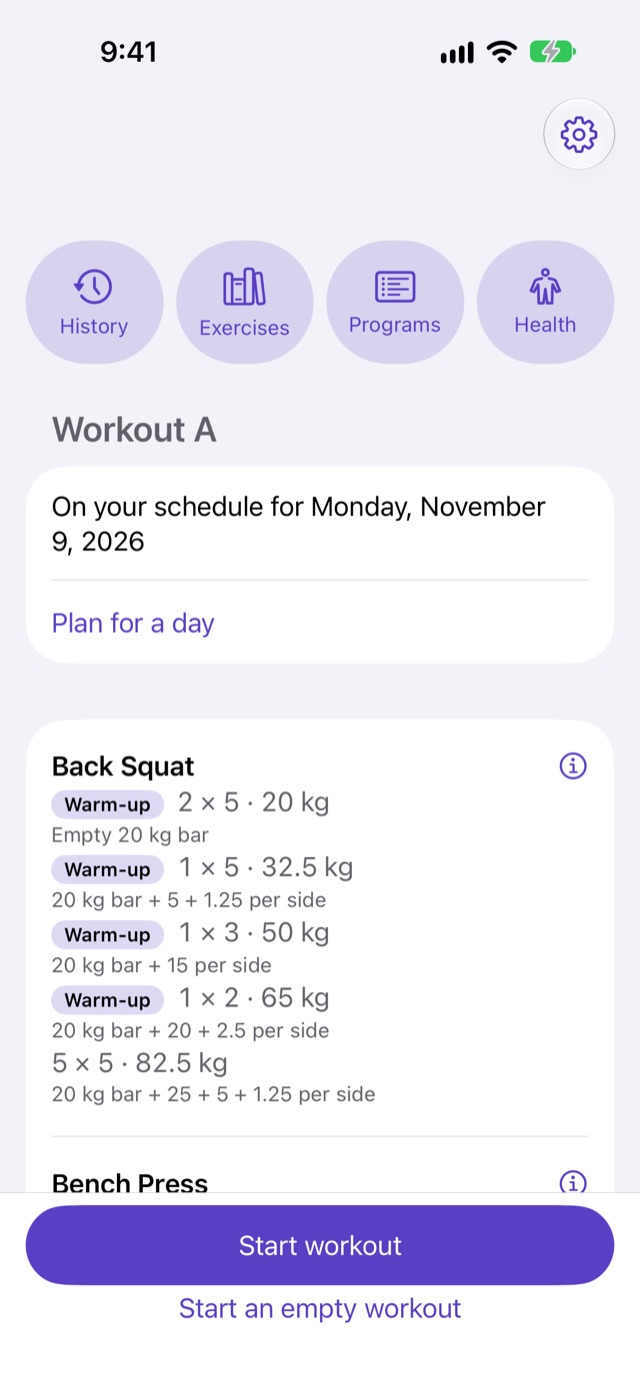
Open the app and the session is there.
Today shows the session your program has up next, every set resolved from where you are now: the warm-ups, the working weight, and what goes on the bar.
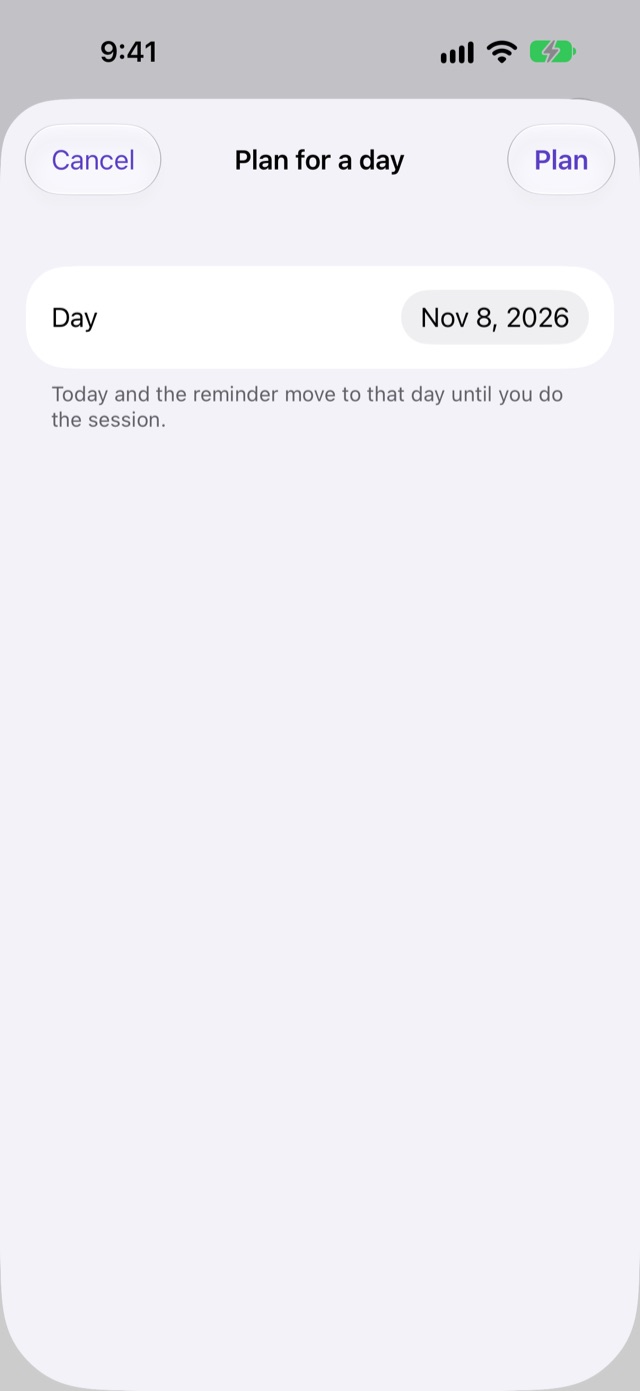
Miss a Wednesday and it waits for you. The rotation moves when you train, not when the calendar does. If Friday suits you better, plan the session for Friday.
Logging
One tap per set. Fix it afterwards if you need to.
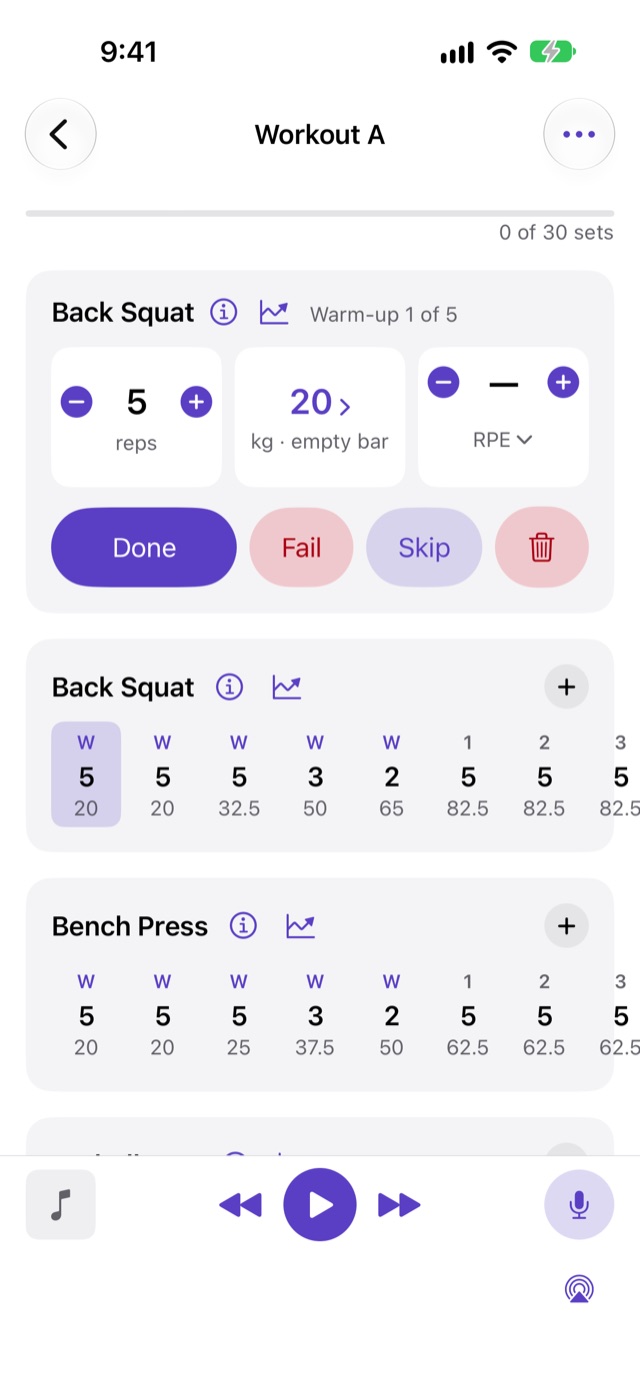
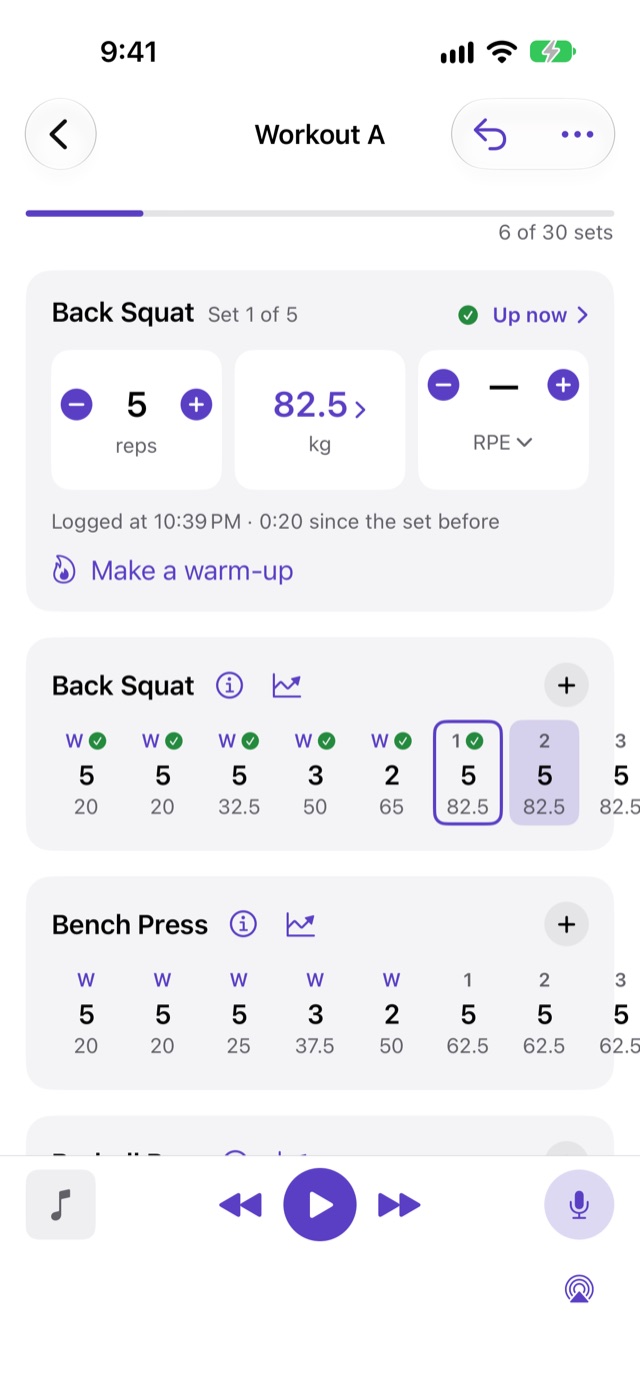
Each exercise’s sets sit in a row of small columns, so a 5×5 and its warm-ups fit on one screen. The set you’re on stays at the top with its weight and reps. Tap Done and the rest timer starts.
Got four reps instead of five? Step it down before you log it, or tap the set later and change it there. Everything can be undone.
Warm-ups
Warm-ups that don’t count as work.
Barbell lifts come with warm-up sets worked out from your first work set. Pick the scheme you like in Settings, or turn them off.
Did an extra ramp-up set, or logged one that was really a warm-up? Tap it and make it a warm-up. It stops counting toward your volume and your records.
The bar
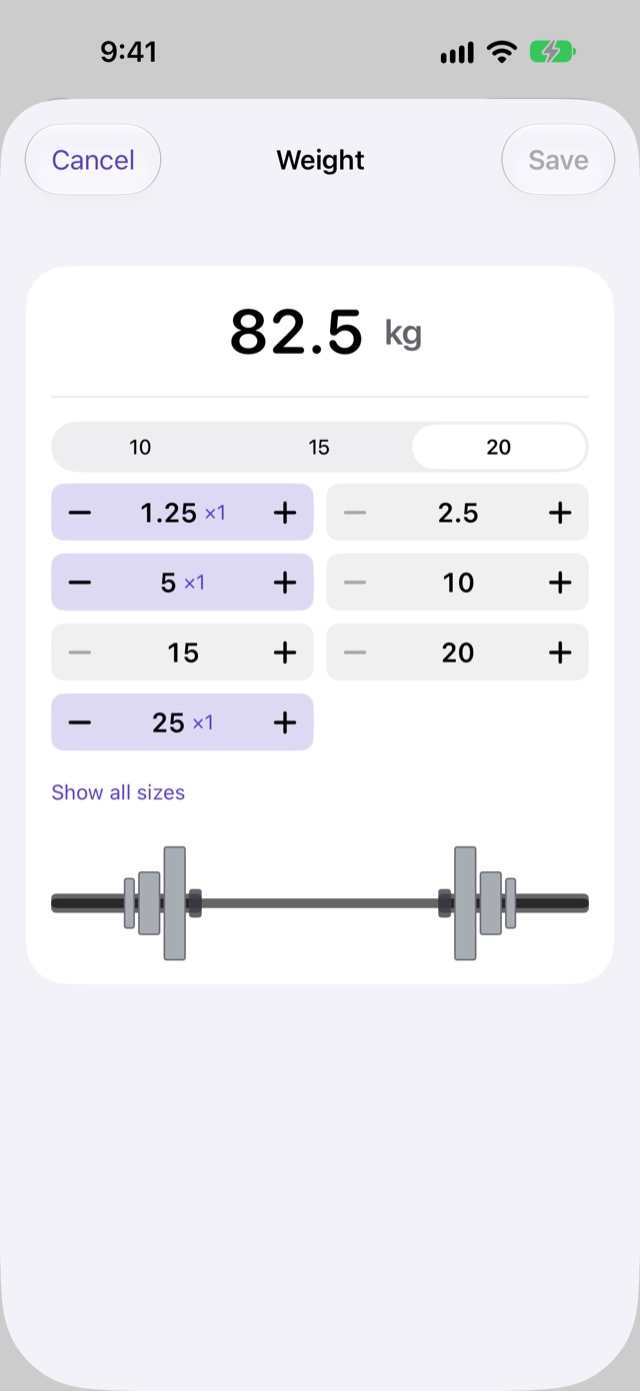
Plates per side, from the plates you actually have.
Tell it your bar, your collars and the plates in your garage or your gym. Every barbell set shows what goes on each side, rounded to a weight you can build.
Progression
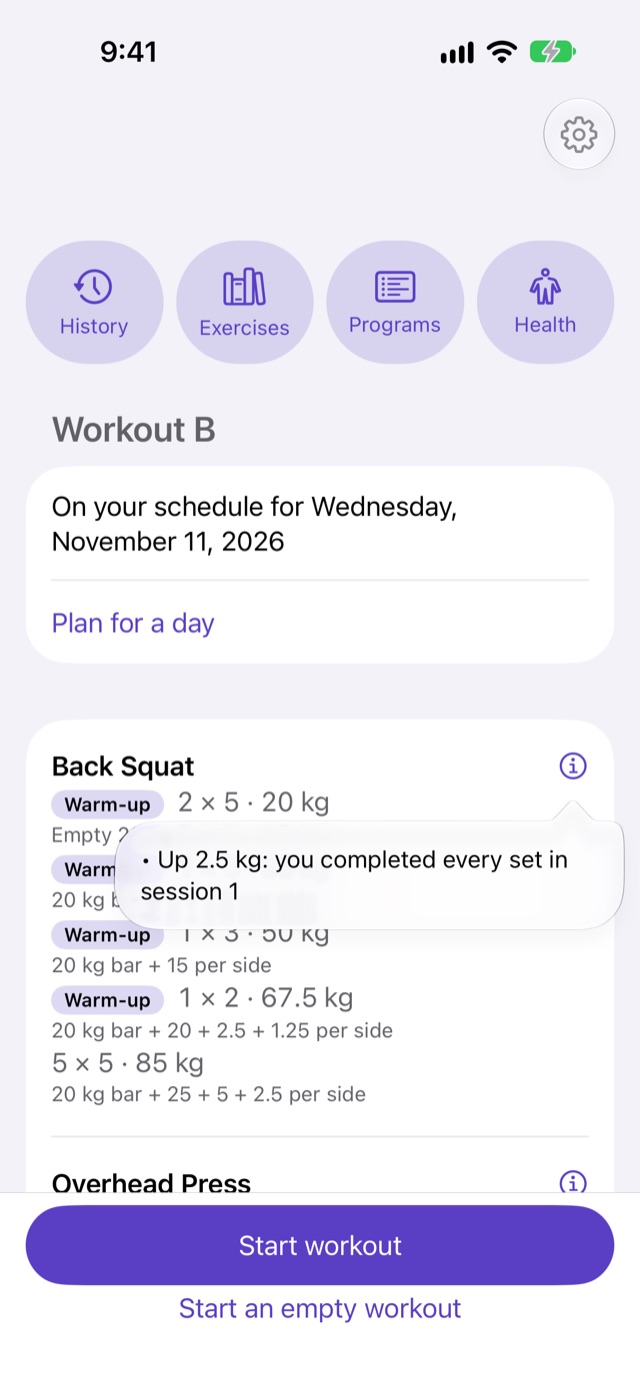
Every weight comes with a reason.
When your squat goes up, the app tells you why, in plain words: “Up 2.5 kg: you completed every set in session 1.” When it holds or comes down, you see why too.
History
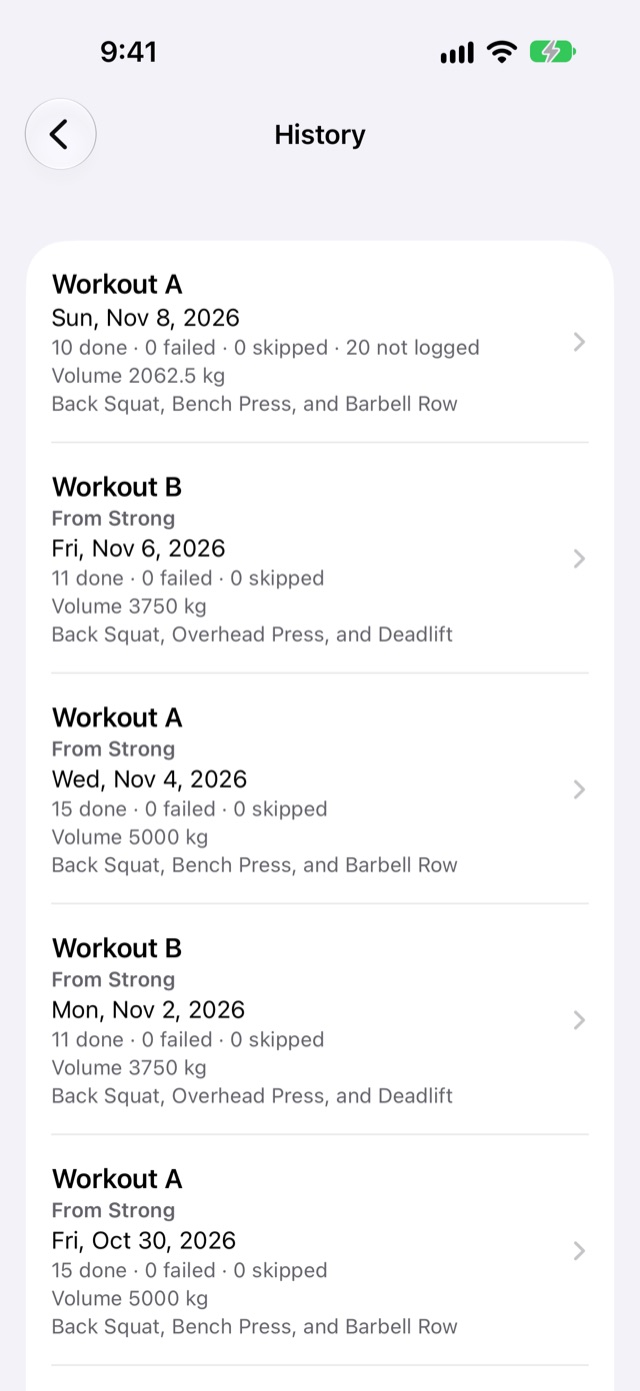
A finished workout, read back to you.
How long it took, how much you lifted, the sets you made and missed, and the rest between them, estimated from when you logged each one. New records show the old best beside them.
The parts you don’t see
- No account
- There’s nothing to sign up for in the app. Your training log lives on your phone.
- Sync
- End-to-end encrypted, through iCloud, Google Drive or a folder you choose. The storage provider only ever sees ciphertext, and none of it passes through us.
- Apple Watch
- A full copy of the app on your wrist. Leave the phone in the locker, log from the watch, and they catch up when they’re back together.
- Your music
- BarbellForm never takes over Now Playing. Rest cues lower your music for a moment, then give it back.
- Offline
- Logging, planning and history work with no signal, which is how most basement gyms are.
- Accessibility
- Every screen works at the largest text sizes and with VoiceOver and TalkBack.
Early access
We’re letting lifters in a few at a time while we finish the last pieces. Leave your email and the phone you train with, and we’ll write when there’s a build for it.
We use your address for that and nothing else, and we don’t share it. To come off the list, email support@barbellform.com.